Almost every contractor has a Google Business Profile. Almost none of them have optimized it.
There’s a real difference between “claimed” and “optimized,” and that gap is usually the exact reason a competitor with worse work shows up above you when someone searches for what you do. Google rewards profiles that look active, complete, and trustworthy. Most businesses set theirs up once, years ago, and never touch it again.
This post is the full checklist. Go through it item by item — most businesses are missing at least half of it.
What is the “map pack,” and why should you care?
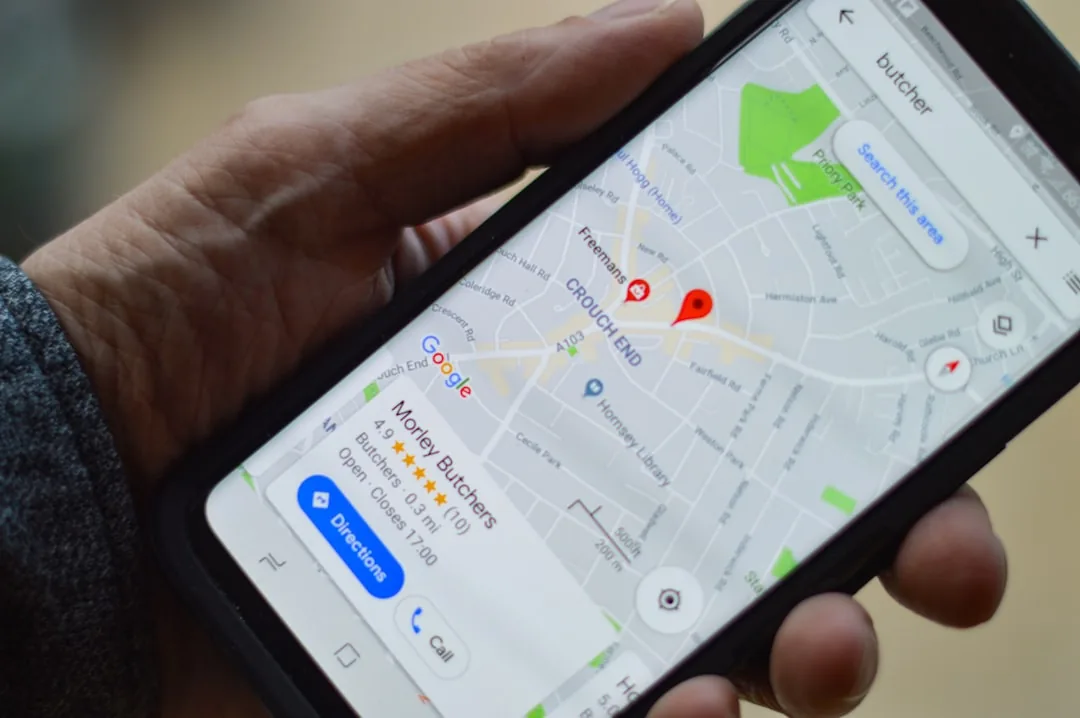
When someone searches “roofer near me” or “plumber in [your city],” Google shows a map with three business listings above all the regular search results. That’s called the map pack (sometimes the “3-pack”).
The map pack sits above the regular search results, so it gets the first look. Google says local results are based mainly on three things: relevance (how well your profile matches the search), distance (how close you are to the searcher), and prominence (how well known your business is, including your review count and rating). You can’t change distance, but everything in this checklist improves relevance and prominence.
Step 1: Fill in every category, not just one
Google lets you pick a primary category and several secondary ones. Most businesses only fill in the primary category and stop.
Example: A roofer who also does gutters and siding should be listed under all three categories — Roofing Contractor, Gutter Contractor, and Siding Contractor — not just “Roofing Contractor.” Each category helps you show up for different searches.
Do this today: Open your profile, go to “Business Information,” and add every category that honestly applies to your work. It takes two minutes.
Step 2: Add real photos — and keep adding them
Stock photos and a five-year-old logo don’t help you rank, and they don’t build trust with someone scrolling on their phone at 9pm with a leaky ceiling.
What actually helps:
- Before-and-after job photos. Real proof beats any words you could write.
- Photos of your crew and trucks. People hire people, not logos.
- New photos on a regular schedule, not just one big upload the day you set up the profile.
Do this today: Upload at least 10 real job photos this week. Set a phone reminder to add 2-3 more every month going forward.
Step 3: List your services individually
Don’t lump everything into one vague paragraph. Google treats “roof repair,” “roof replacement,” and “storm damage inspection” as three separate searches. If your profile only mentions “roofing services” as one blob of text, you’re invisible for all three of those specific searches.
Do this today: Go to the “Services” section and add each service you offer as its own line item, with a short, plain description of what it includes.
Step 4: Post updates on a regular schedule
Google Posts is a feature almost no one uses — which means using it well is an easy way to stand out. A Google Post is like a mini social-media update that shows up right on your profile.
What to post:
- A recent job you finished (with a photo)
- A seasonal promotion or reminder (“Get your AC checked before summer”)
- A quick tip related to your trade
Do this today: Post one update. Then put a recurring reminder on your calendar to post one every 2-4 weeks. A profile that posts regularly looks active. An active profile signals to Google — and to homeowners — that you’re a real, running business.
Step 5: Answer customers’ questions in your profile, not just your inbox
Google used to have a public Questions & Answers section on Business Profiles. It retired that feature in 2025 and replaced it with an AI “Ask” button in Google Maps that answers questions using what’s already on your profile: your description, services, photos and reviews.
That changes the job. If your profile doesn’t say whether you offer free estimates, which towns you serve, or whether you’re licensed and insured, the AI can’t say it either.
Do this today: Write down the five questions customers ask you most often (“Do you offer free estimates?” “Are you licensed and insured?” “What areas do you serve?”). Make sure each answer appears in plain words in your business description, your services list, or a post, and in an FAQ on your website.
Step 6: Respond to every review — good and bad
A profile with 40 reviews and zero responses from the owner looks abandoned, even if the reviews themselves are great. Responding to reviews, especially the negative ones, is one of the strongest trust signals a small business can send.
How to respond to a bad review (a simple template):
“Thanks for the feedback, [Name]. We’re sorry this wasn’t the experience we aim for. We’d like to make it right — please call us at [phone number] so we can sort this out directly.”
Calm, short, and offers a real next step. Don’t argue in public. Move the conversation to a phone call.
How to respond to a good review (a simple template):
“Thank you, [Name]! We really appreciate you taking the time to write this, and we’re glad we could help with [specific detail from their review].”
Mentioning a specific detail shows you actually read it — and it’s not fake or copy-pasted, which people can tell.
Why review freshness matters more than review count
Here’s something most business owners don’t realize: a business with 40 reviews and steady new ones coming in every month often outranks a business with 200 reviews and nothing new in over a year. Google reads “recent activity” as a signal that you’re still a real, running business. This is exactly why review velocity — a steady stream of new reviews, not just a big pile of old ones — matters so much.
The full checklist, all in one place
Print this or save it. Go through it once a month.
- Every relevant category added (not just the primary one)
- At least 10 real job photos uploaded, with new ones added monthly
- Every service listed as its own line item, not lumped together
- A Google Post published in the last 2-4 weeks
- Your five most-asked questions answered in your description, services or posts
- Every review responded to within a few days
- Business hours, phone number, and service area double-checked for accuracy
- Website link and booking link both working and up to date
Why this beats spending money on a new website first
For a search like “roofer near me,” the map pack is the first thing a homeowner sees, above every regular result. If you’re not in those top three spots, many of them will call someone before they ever reach your website. Google Business Profile optimization is often the single highest-leverage, lowest-cost thing a local service business can do, because it directly controls whether you show up in the exact moment someone is ready to call.
If keeping all of this updated feels like one more job on top of running your actual business, that’s exactly what our Local SEO service and automated 5-Star Review System are built to handle. The profile stays active, the reviews keep coming in, and you don’t have to remember to do any of it yourself. For the full strategy behind turning visibility into booked jobs, see our Lead Generation Playbook.